Monetize Your TikTok Content with TikTok Shop: Step-by-Step Guide
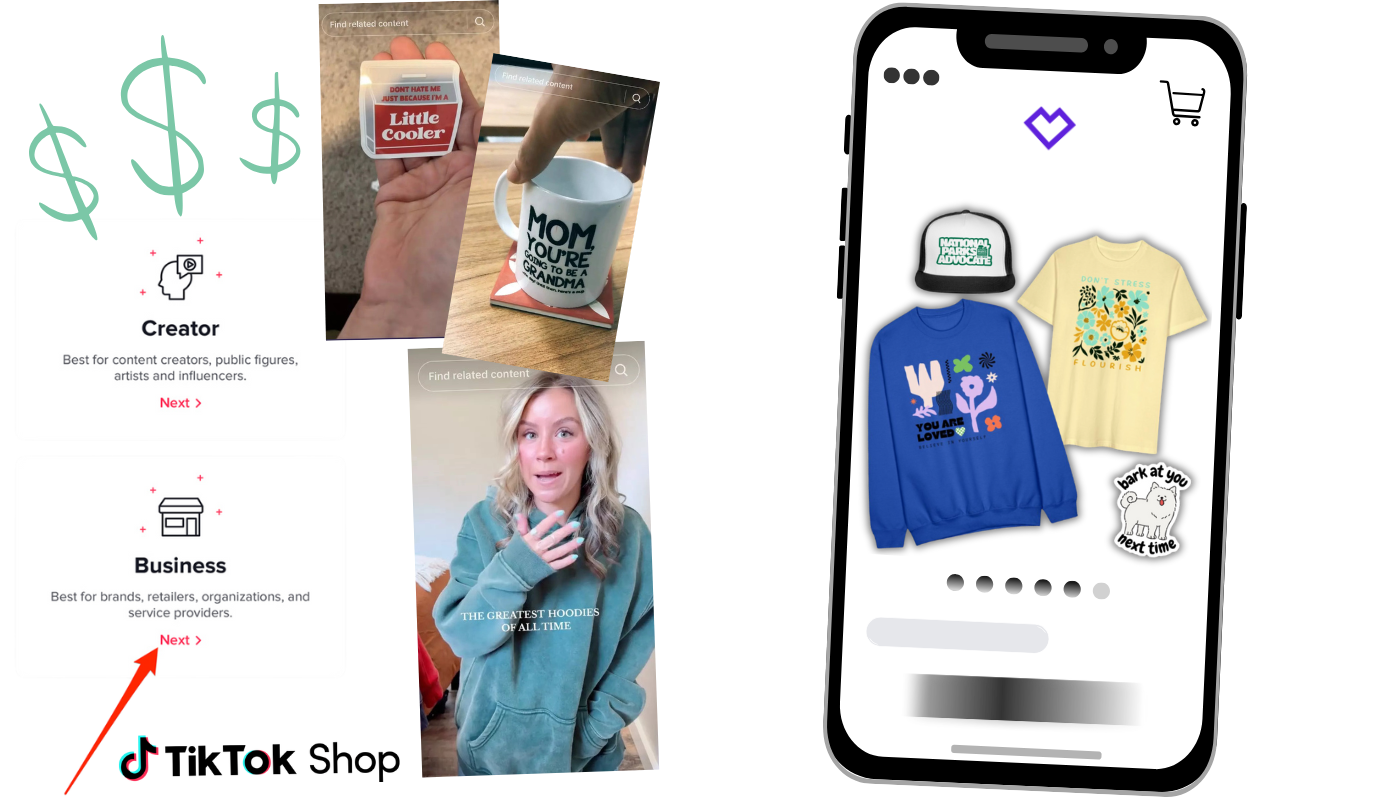
Need help setting up a TikTok Shop? This guide is for you. We walk you through the entire set-up process, which includes keeping key monetization features.
With TikTok Shop, creators now have an exciting, direct way to monetize content by selling products to their fans, right on the app. Like custom merch.
Spreadconnect’s drop-shipping print on demand service allows anyone to make and sell apparel without the extra hassle - production, shipping, and fulfillment are all covered!
TikTok is the ultimate platform for this kind of promotion. However, there are a few unique steps and workarounds to effectively set up TikTok Shop.
In this guide, we’ll walk you through TikTok Shop setup without losing monetization capabilities.
You’ll learn how to open a TikTok Shop-ready business account. How to keep a separate personal account as an affiliate to promote your products. And how to use Spreadconnect to easily list your products.
So, let’s dive in and get you set up to turn your TikTok fans into loyal customers without compromising your creative voice!
/customize-products-with-spreadconnect?fmt=auto&w=1400&h=800)
Step 1: Sign Up for Spreadconnect
One of the best ways to monetize your TikTok content is by selling custom apparel. And it’s super easy to bring your ideas to life with Spreadconnect.
When you give followers the option to buy products from you, it builds a stronger sense of community and loyalty.
From custom apparel and accessories to unique branded items, print on demand gives followers a tangible way to show their support. And Spreadconnect is the ideal tool to make it happen.
Why Custom Apparel Matters for Creators
Selling branded products gives your followers a way to feel connected and involved in your content.
Each product you offer becomes part of your story, allowing fans to experience your brand on a personal level. It’s a win-win: They get exclusive items, and you get increased brand recognition and revenue.
Why Spreadconnect is Perfect for Creators
Spreadconnect was designed with TikTok creators like you in mind. It’s simple to go from idea to product without the hassle of traditional production.
Whether you’re new to print on demand or looking to scale, Spreadconnect provides tools that are accessible, affordable, and require no upfront investment.
Here’s why Spreadconnect is a game-changer for creators:
No Inventory Needed: Spreadconnect operates on a print-on-demand model, so there’s no need to worry about inventory, storage, or unsold items. You simply upload your designs, and when a customer places an order, the item is printed and shipped directly to them. Zero upfront costs or risk.
Endless Customization Options: With Spreadconnect, you have access to a wide range of customizable products. 300+ products as a matter of fact.
Whether you’re interested in creating t-shirts, hoodies, mugs, or stickers, you can personalize each item with your own designs, logos, or slogans. This flexibility lets you tailor your products directly to your audience’s tastes.
Seamless Integration with TikTok Shop: Spreadconnect’s integration with TikTok Shop means you can manage everything in one place. You’ll be able to list your products directly on TikTok Shop. This makes it easy for your followers to browse, select, and purchase your items.
Trusted Quality and Support: Spreadconnect partners with high-quality brands, so you can trust that your merch will look and feel professional. Additionally, Spreadconnect offers customer support for both you and your customers, handling questions about orders, returns, and other common inquiries.
Sign-Up Is Easy!
Signing up for Spreadconnect is a breeze. Here’s how you can get started:
Sign Up: Head over to Spreadconnect and create an account. If you already have a Spreadshop account, no problem. Spreadconnect operates as a separate integration, so you can manage your merch specifically for TikTok Shop.
Upload Your Designs: Once registered, you can immediately start uploading your designs and customizing products. The platform is user-friendly, with design templates and tips available.
List Your Products on TikTok Shop: After you’ve created your merch line, you can connect Spreadconnect to your TikTok Shop account. This will automatically sync your products to TikTok, making it easy for your followers to find and purchase your items.
Promote on TikTok: Now that your products are LIVE, you can start promoting it on your TikTok profiles, using both your personal and business accounts to drive sales.
Step 2: TikTok Shop Workaround for Creators
Becoming a TikTok Shop seller typically requires a business account, but this setup poses a challenge for creators.
This type of account limits creators’ ability to fully enjoy the platform’s sound library, special effects, and other key monetization features. And if you’re a creator who relies heavily on trending sounds, this restriction can feel like a roadblock.
Luckily, there’s a workaround that lets you have the best of both worlds - access to TikTok Shop while keeping your creative freedom intact. The secret?
Use two accounts: one for business and one for your usual, personal content.
By maintaining both a personal account and a business account, you can enjoy the creative freedom of a personal profile while still selling products through a business account.
- Personal Account: This account stays focused on engaging with your followers in your authentic, relatable way. As a personal account, you’ll still have full access to trending sounds, special effects, and monetization options, like the Creator Fund.
Your personal account serves as an affiliate for the products on your business account. Post about your products, share behind-the-scenes content, and link back to your TikTok Shop seamlessly.
Business Account: This is where your actual TikTok Shop lives. Your business account handles logistics of listing and selling products directly through TikTok, including access to the TikTok Shop feature.
When viewers tap on a product in a video from your business account, they can purchase it immediately, creating a smooth experience that increases the chances of conversion.
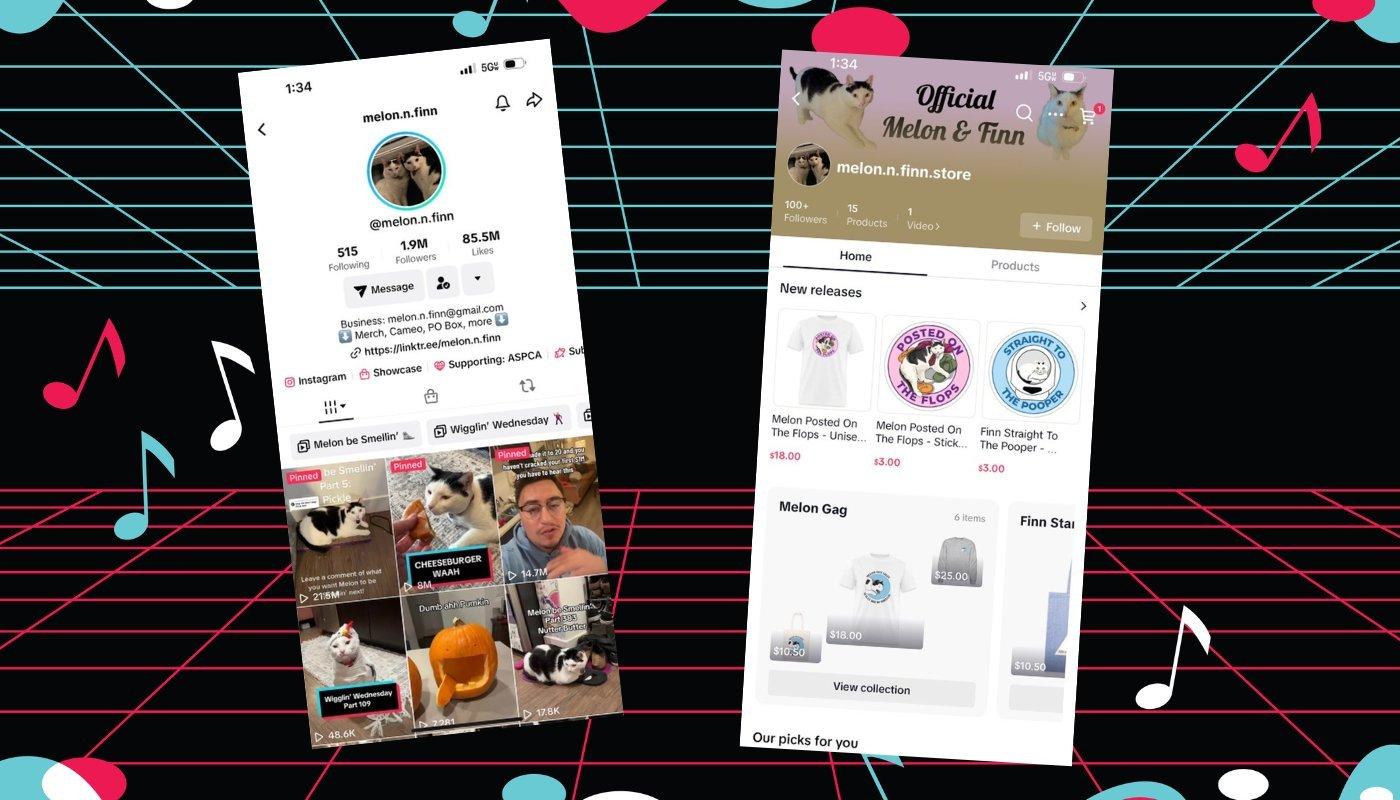
Viral TikTok cats Melon n Finn use this approach to create a dynamic presence on TikTok.
They operate two accounts: one titled “Melon n Finn personal” for engaging their audience with creative content and another titled “Melon n Finn business” where they manage their TikTok Shop listings.
To help their followers recognize and trust both accounts, they made a short verification video explaining the connection between the two accounts. This clear communication reassures their audience that they can trust them and reinforces brand identity across both accounts.
To implement this setup yourself, follow these steps:
Create a New TikTok Business Account: Rather than converting your main TikTok profile to a business account, create a new one specifically for your TikTok Shop.
Promote Your Products Creatively: On your personal account, share engaging content around your products to keep things fun, informative, and on-brand. For example, create sneak peeks or “how-to” style videos featuring your products.
Direct Traffic to Your Business Account: Whenever you post a product-related video on your personal account, use calls-to-action to direct viewers to your business account where they can shop the products you showcase.
Step-by-step process:
Settings > Account > Switch to business account
Go to “Shop” at the bottom of the screen
Toggle over the top options on that screen to “Sell” (it has a + sign above it)
Sign up with TikTok Shop
Hit “Continue with TikTok” so you don’t have to make another account
Use the prompt to authorize the account
Go through captcha and verification process
Submit information and await approval!
This two-account approach allows you to keep building authentic connections with your audience, preserving the creativity that made you successful on TikTok in the first place.
And the best part? You can maintain access to TikTok’s full range of features, boosting both your creative reach and sales potential.
Step 3: Login to Spreadconnect
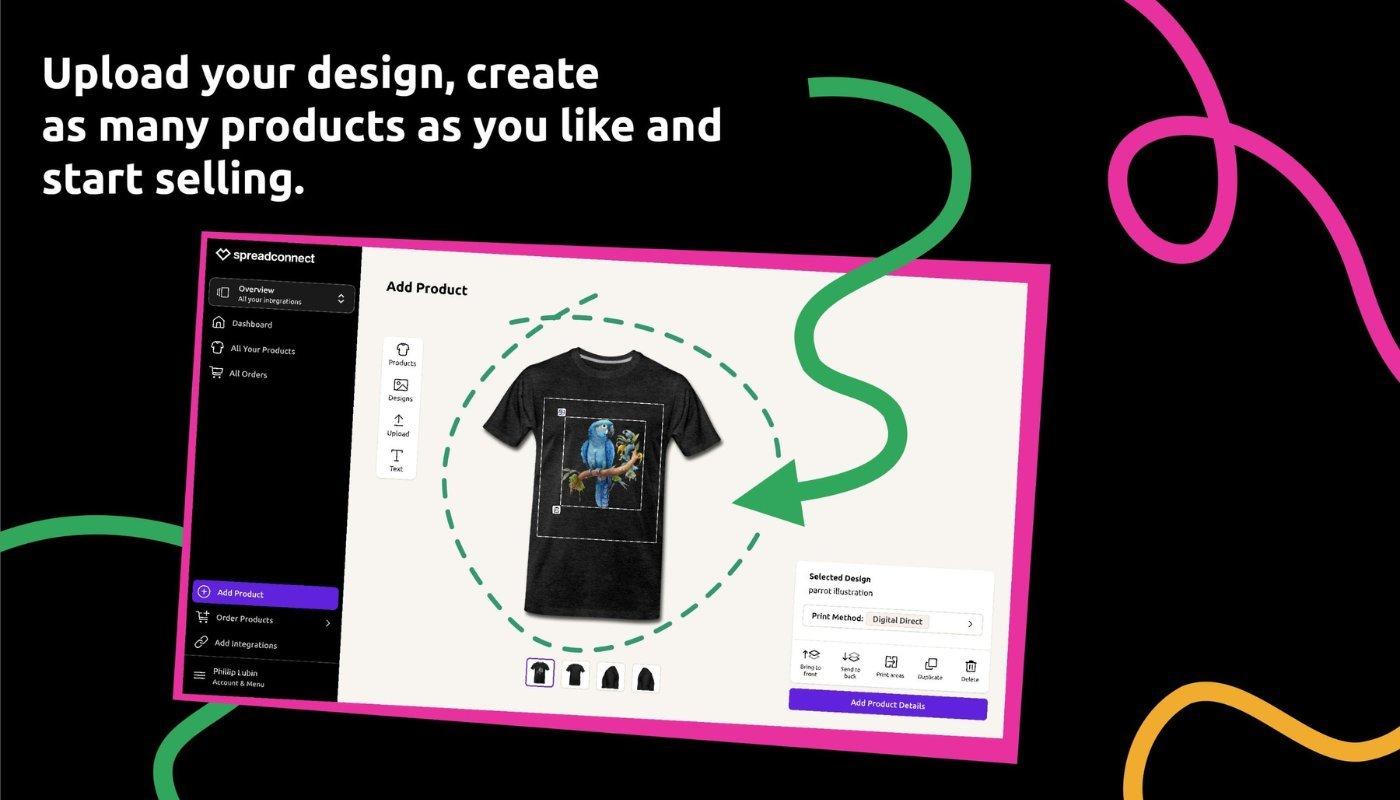
Once your TikTok Shop account is approved, the next step is to log in to your Spreadconnect account. Spreadconnect serves as the hub where you’ll manage your merch, customize listings, and monitor sales.
How to Log In
Visit Spreadconnect and enter your credentials.
Once logged in, you’ll see the Spreadconnect dashboard - a user-friendly interface designed to give you complete control over your product offerings.
How Spreadconnect Integrates with TikTok Shop
Once logged in, Spreadconnect makes it simple to connect directly with your TikTok Shop account. Just click the Connect Integrations tab and select TikTok Shop.
By linking your Spreadconnect and TikTok accounts, your products will automatically sync to TikTok Shop, so any updates or new items you add will appear in your TikTok storefront.
With Spreadconnect’s easy integration, your followers can discover and buy your merch without ever leaving TikTok, making the shopping experience smoother and more likely to convert.
Step 4: Connect Your TikTok Shop Account with Spreadconnect
Now that your TikTok Shop and Spreadconnect accounts are set up, it’s time to connect them. This integration allows you to seamlessly list and manage your merch on TikTok, making it easy for your followers to browse, select, and buy your products directly within the app.
By linking TikTok Shop and Spreadconnect, you gain a streamlined, centralized way to handle product listings, orders, and inventory - all designed to support creators in maximizing sales with minimal hassle. Here’s a step-by-step guide on connecting the two accounts, along with a look at how the integration benefits your merch business.
How to Connect Your TikTok Shop Account with Spreadconnect
Access the Integration Panel: Once you’ve logged into your Spreadconnect dashboard, navigate to the bottom left of the screen where you’ll find the “Connect Integrations” tab. This is where you can manage all your third-party connections, including TikTok Shop.
Find the TikTok Integration: Scroll through the list of available integrations until you see the TikTok logo and click “Connect”.
Login to Your TikTok Business Account: When prompted, log in to your TikTok Shop business account. It’s important here to ensure you’re using your business account credentials (not your personal account) as the integration needs to connect specifically to the account that hosts your TikTok Shop.
Authorize the Connection: TikTok will present you with an authorization screen, allowing Spreadconnect to access your TikTok Shop data. This includes permission to list and manage products directly on TikTok Shop. Carefully review the permissions and click “Authorize” to confirm.
Confirm and Configure Settings: After authorization, you’ll be directed back to Spreadconnect. Here, you’ll have the option to set certain preferences, like contact email addresses and duration for partner/integration access. Fill in these details, check the necessary agreements, and hit “Confirm to Install”.
Once installed, a final screen will appear confirming that the authorization is successful, and you’ll be redirected to your Spreadconnect dashboard.
With this connection now live, your Spreadconnect products will sync directly with TikTok Shop, meaning any changes or updates you make on Spreadconnect will automatically reflect in TikTok Shop.
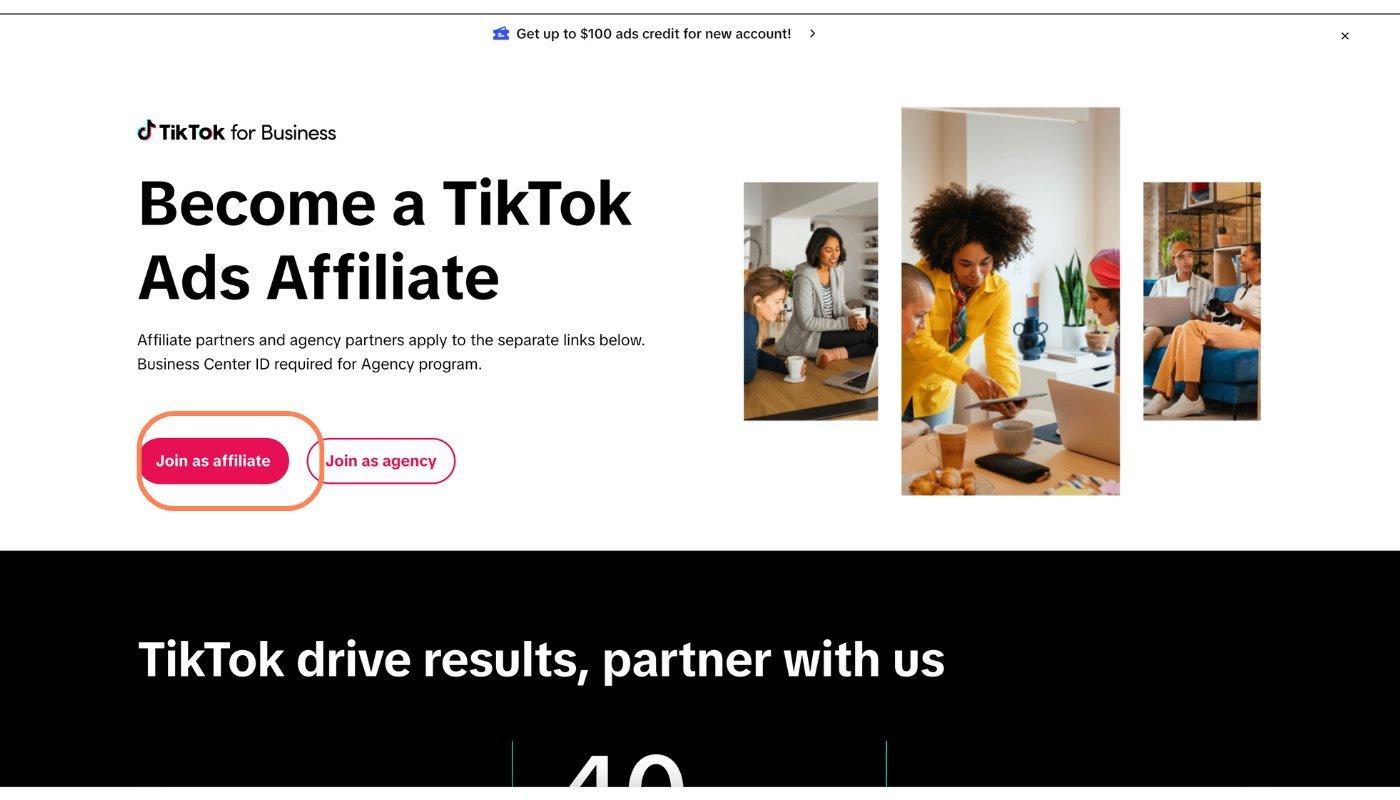
Step 5: Set Up TikTok Shop Affiliate for Your Personal Account
Setting up a TikTok Shop Affiliate on your personal account is a strategic move for creators who want to monetize their TikTok presence without switching entirely to a business account.
By keeping your personal account linked to your business account as an affiliate, you can continue using popular TikTok songs/sounds, trends, and features while driving traffic to your products.
Here’s a step-by-step guide to setting up the affiliate connection with your personal account:
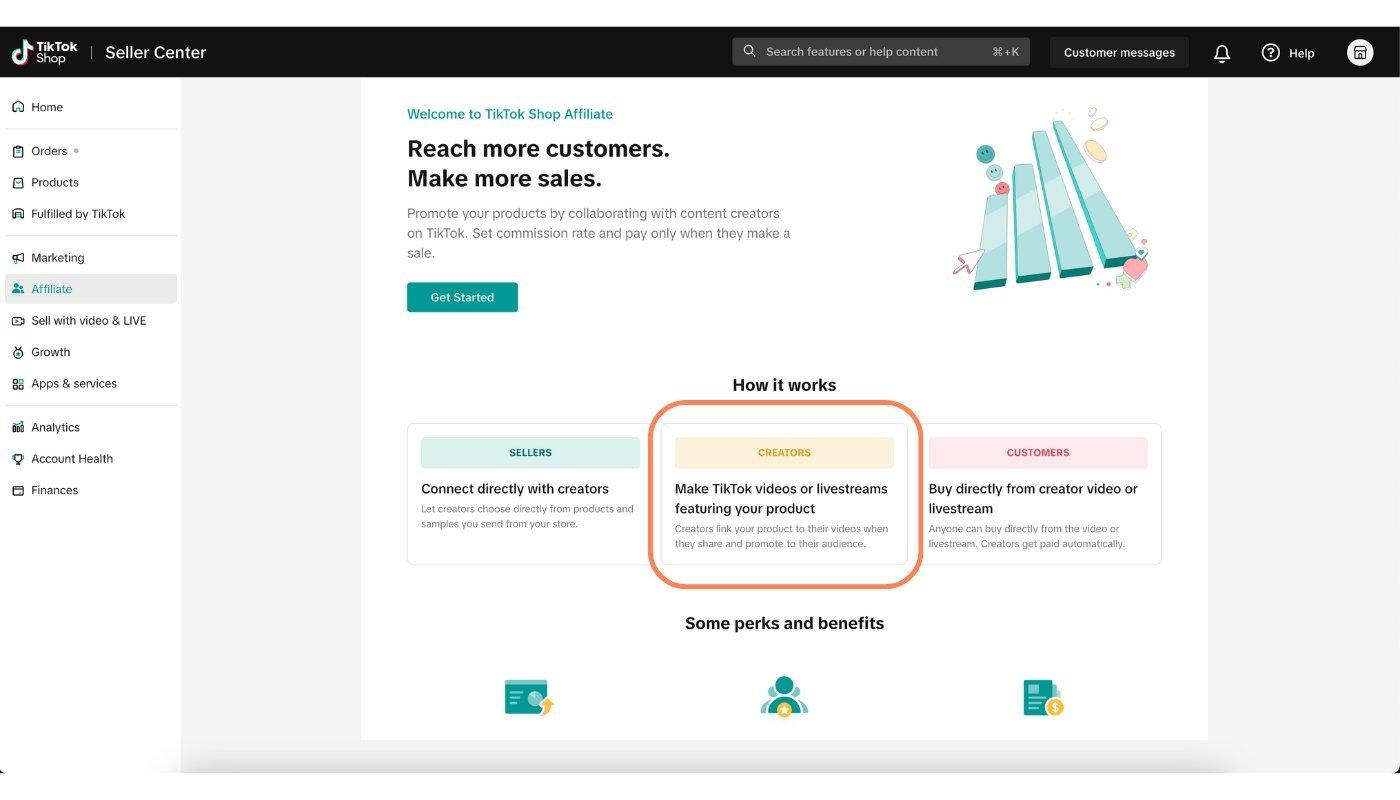
Log in to TikTok Seller Center: Start by logging into TikTok’s Seller Center, where you’ll manage your affiliate setup. This is also where you can access data on your affiliate links, track performance, and view affiliate payouts.
Set Up Affiliate Links to Your Business Account’s Products: In the Seller Center, locate the affiliate options, which will let you add specific links to the products from your TikTok Shop (i.e., your business account’s products).
This means any time you promote these products from your personal account, you’ll be credited as an affiliate, enabling you to earn commissions on any sales driven from your content.
Add Affiliate Links to Content: With the affiliate links ready, you can now start including these links in videos, captions, and bios on your personal TikTok account.
Drive Traffic Strategically: Use your personal account to connect authentically with your audience while still promoting your products. Since your personal account gives you access to the full TikTok sound library, you can use trending sounds, popular challenges, and more creative content formats to boost engagement.
Why the Affiliate Setup is Perfect for Creators
With TikTok Shop Affiliate, you’re free to experiment with engaging content that resonates with your audience. Whether it’s through viral challenges or lifestyle content, your products will be right at their fingertips.
This setup allows you to optimize reach and monetization in a way that feels authentic to your unique style and brand.
Monetizing your TikTok presence with TikTok Shop is a powerful way to turn your creativity into income.
By setting up a business account, leveraging Spreadconnect, and using the TikTok Shop Affiliate on your personal account, you can create a seamless purchasing experience for your followers.
Ready to take your TikTok content to the next level? Start profiting from your passion today.