Spreadshop Customize Tool: How It Works and Benefits Your Shop
The Customize Tool is enabled by default in your Spreadshop, allowing customers to upload their own designs, edit existing designs, and create new artwork with AI.
The Spreadshop Customize Tool creates additional earning opportunities alongside your existing assortment by allowing customers to personalize products for gifts, adapt your designs to their preferences, or create something entirely new. This saves you time from having to publish every design variation yourself.
You continue to earn the margin you've set for each product (or the applicable preset margin for products you don’t sell) when customers make purchases using the Customize Tool.
Where Customers Can Find the Customize Tool
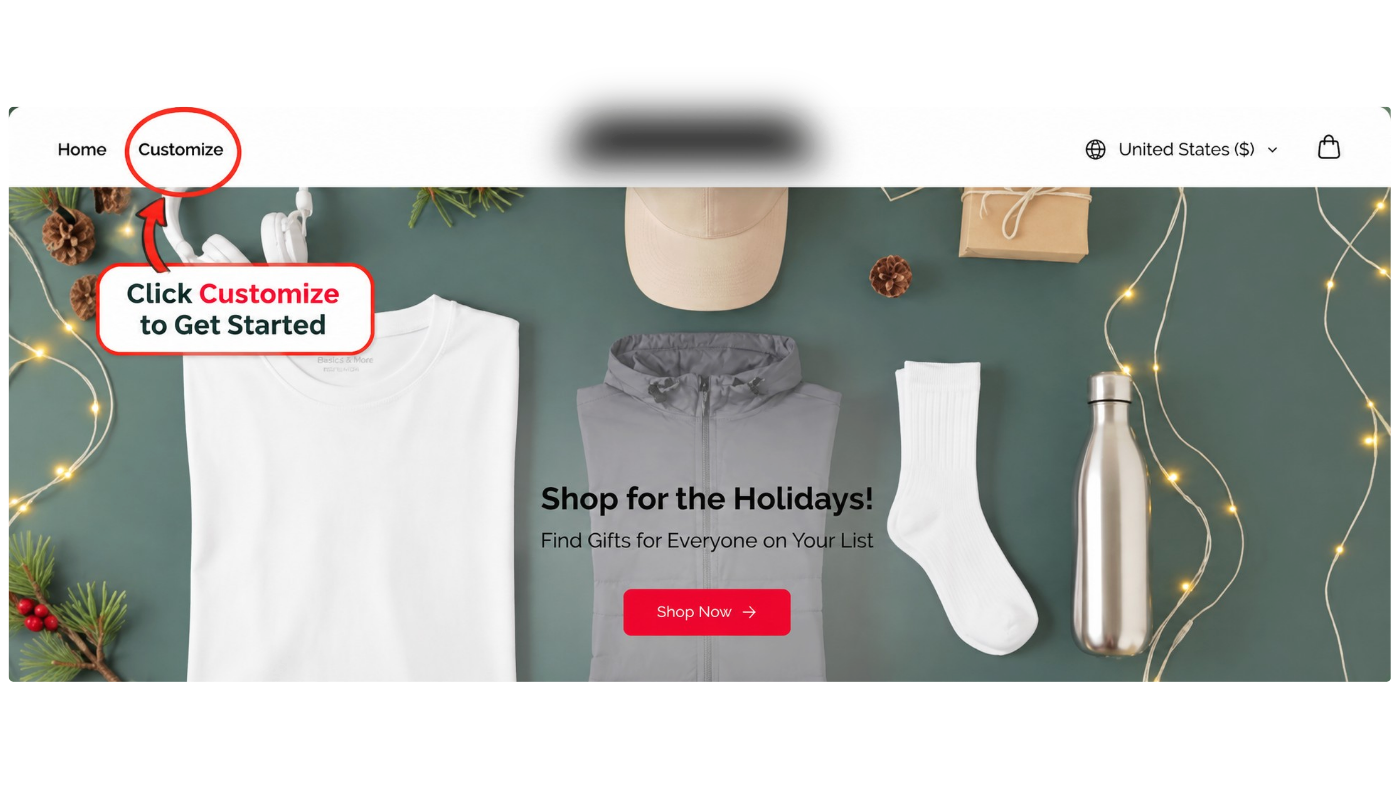
The Spreadshop Customize Tool appears in the navigation menu of your shop.
Customers can select Customize to start creating their own products. If the Customize Tool is deactivated, it won't appear in your shop navigation.
What Can Customers Customize?
The Spreadshop Customize Tool gives shoppers more freedom to create products that suit their needs and preferences.
With the Customize tool, customers can:
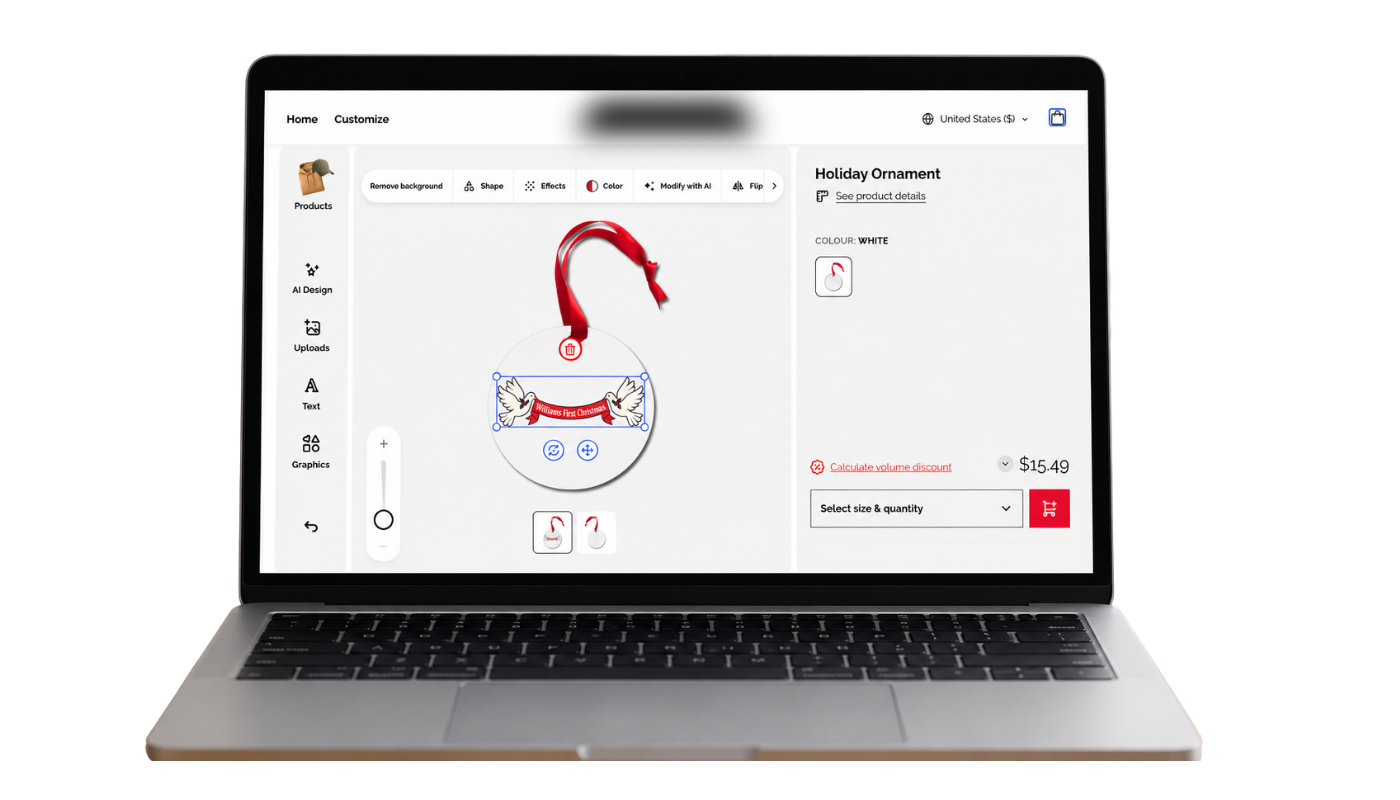
Upload their own designs.
Personalize existing designs by adding names, messages, or other text to artwork you've already published.
Use customizable templates to create designs with styled text and graphics.
Create original designs and modify existing designs using AI.
Customize any product in the Spreadshop assortment, including products you don't currently offer in your shop.
If you'd rather offer only original designs and feel this gives too much creative freedom to your buyers, you can deactivate the Customize Tool.
How Do I Manage the Customize Tool?
- 1
Open your Partner Area
- 2
Select Shop Name → Page Settings → Customize Tool
- 3
Toggle to deactivate
Customize Tool is automatically activated in your shop.
Once deactivated, the Customize option will no longer appear in your shop. You can return to these settings at any time to reactivate if you choose.
How Do I Earn Money From Customized Products?
You can still earn money when customers create their own products using the Spreadshop Customize Tool, even if they upload their own designs or generate artwork using AI.
For products already available in your shop, you'll earn the margin you've set in your pricing settings. For products not currently offered in your shop, you'll earn the applicable preset margin.
To review or adjust your earnings:
- 1
Open your Partner Area
- 2
Navigate to Shop Name → Prices & Promos → Shop Pricing
- 3
Review and adjust your pricing and margins as needed
Why keep the Customize Tool enabled?
The Spreadshop Customize Tool gives customers a way to create personalized designs, explore additional products, and make purchases through your shop without requiring you to create every design yourself.
Reach more customers: Appeal to shoppers looking for personalized gifts, unique designs, and products for special occasions.
Expand your assortment without extra work: Let customers design products beyond your existing selection and create their own design variations.
Create more earning opportunities: Earn margins on personalized purchases without having to create and publish every design yourself.
Stand out from competition: Offer personalization options that help differentiate your shop from other sellers.
Improve the customer experience: Give shoppers more control over their final products, helping them create something that better matches their preferences.
Frequently asked questions about the Spreadshop Customize Tool
Yes. The Customize Tool is automatically enabled in every Spreadshop so you don’t have to turn it on manually.
Open your Partner Area, go to Shop Name → Page Settings → Customize Tool, and switch the toggle off. Customize then no longer appears in your shop navigation.
In the new Customizer Tool, customers can modify your existing designs using AI, upload their own artwork, and create entirely new designs with AI.
Unlike the previous version, the updated Customize Tool includes AI-powered features that give customers more flexibility to personalize products and adapt existing designs.
We understand that maintaining your original artwork and brand identity is important. If you'd prefer not to offer these customization options, you can deactivate the tool in your Partner Area.
Yes. You keep the margin from your pricing settings, no matter which design customers use. You can check your prices and margins under Shop Name → Prices & Promos → Shop Pricing.
For products you don’t have available, you receive the applicable preset margin.
Yes. With the Customize Tool customers can design any product in the Spreadshop catalog.
We're currently transitioning shops to the new Spreadshop experience. During this migration, some partners still have access to the previous version of the Customize Tool, while others are using the updated version.
The features and functionality available may differ depending on your shop's version.
The updated Customize Tool includes all the previous features, allowing customers to select products, use your existing designs, upload their own artwork, and add personalized text.
It also introduces AI-powered features, allowing customers to create new designs or modify your existing artwork using AI.
If your shop has migrated to the new Spreadshop experience, you're using the updated Customize Tool. Shops that haven't migrated yet still use the previous version.
You can also identify your version by looking at the customization interface:
New Customize Tool: The left menu includes Products, AI Design, Uploads, Text, and Graphics. Product colors appear as small T-shirt icons.
Previous Customize Tool: The left menu includes Products, Designs, Text, and Upload. Product colors appear as round swatches, with additional options such as Arrange Designs and Choose Size & Quantity.